

文档Docs
各种场景下用 Agent JAgent J on different screens
手机、电脑和大屏的真实网页截图,以及临时电脑配对与移除遥控器的步骤。Real browser screenshots on phone, desktop and large layouts, with temporary-computer pairing and remote removal.
同一个 Agent,换一块屏幕继续聊。打开 https://m.agentj.app ,按页面提示配对。
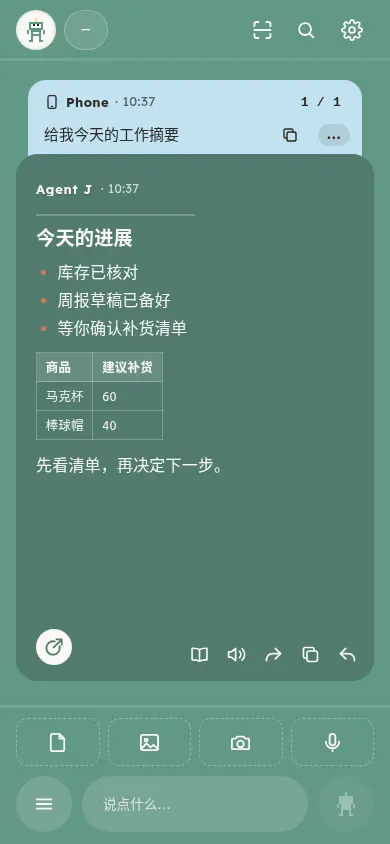
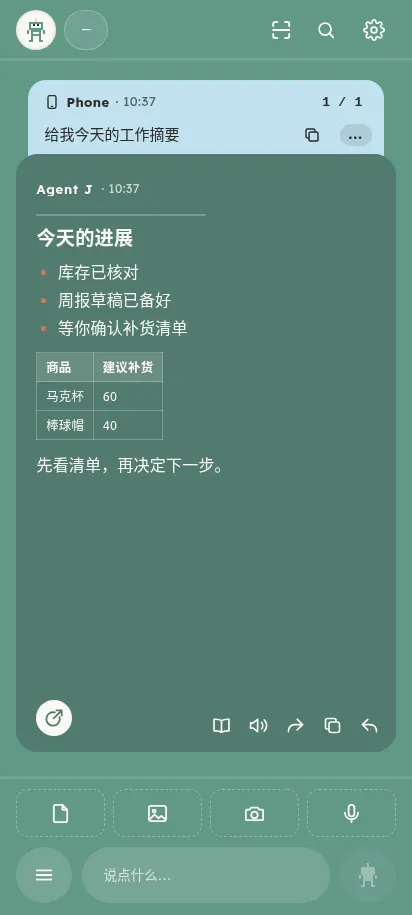
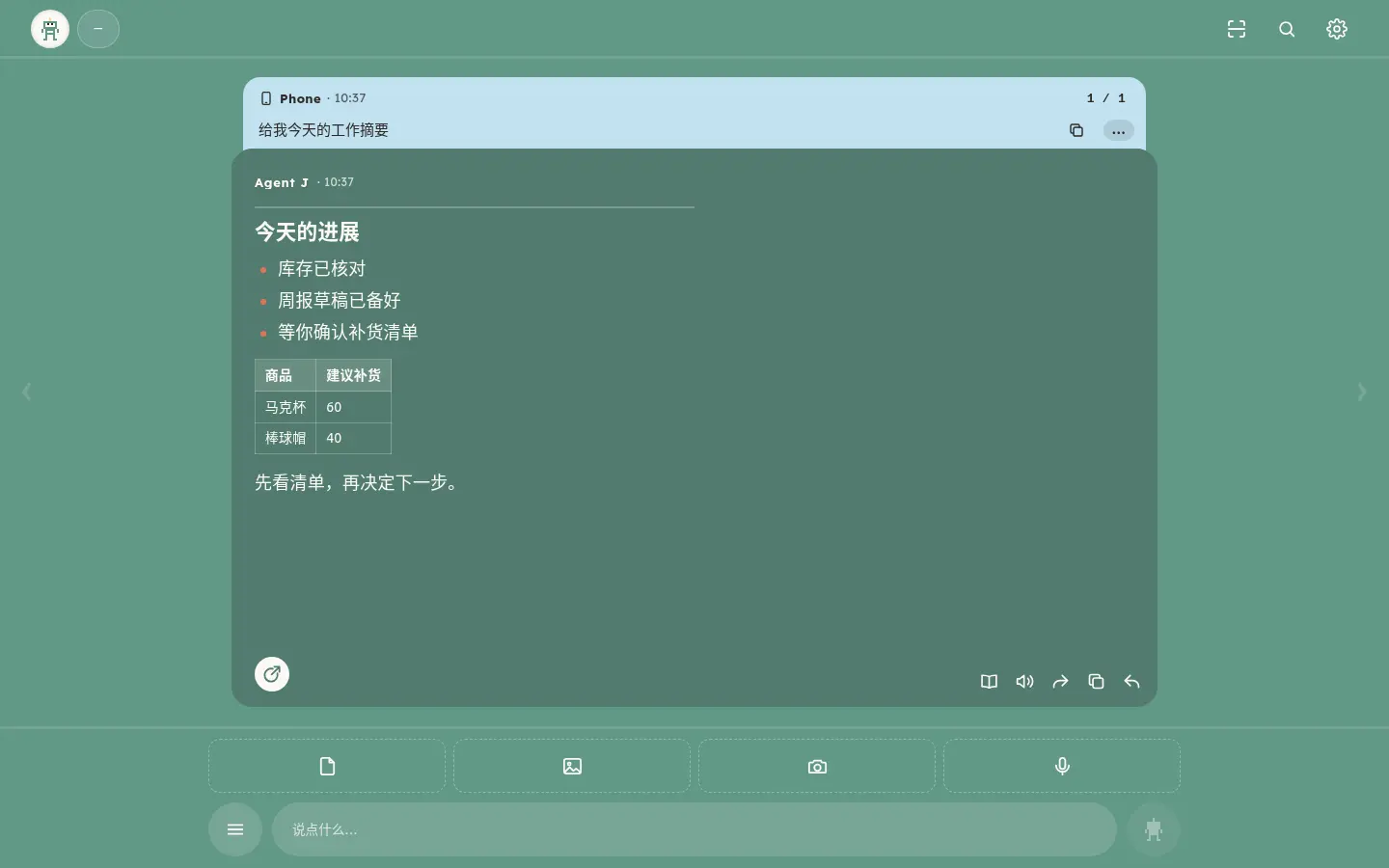
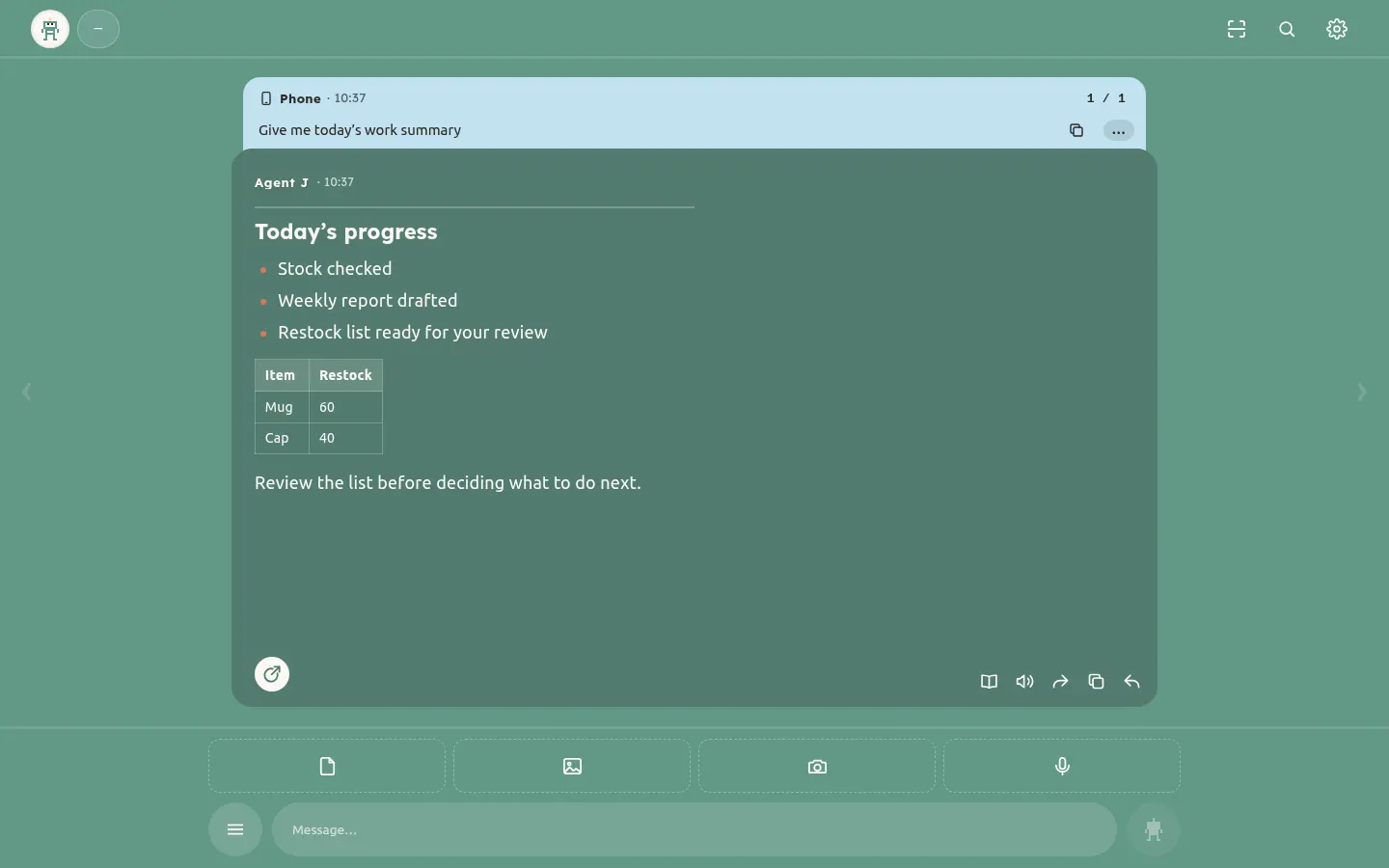
以下截图由 Playwright 打开本版真实网页生成,使用虚构订单与隔离测试主机,不含私人对话或账号。这是浏览器尺寸仿真,不代表所列设备的实机验收。
iPhone 浏览器
Android 浏览器
电脑浏览器
电视大屏布局
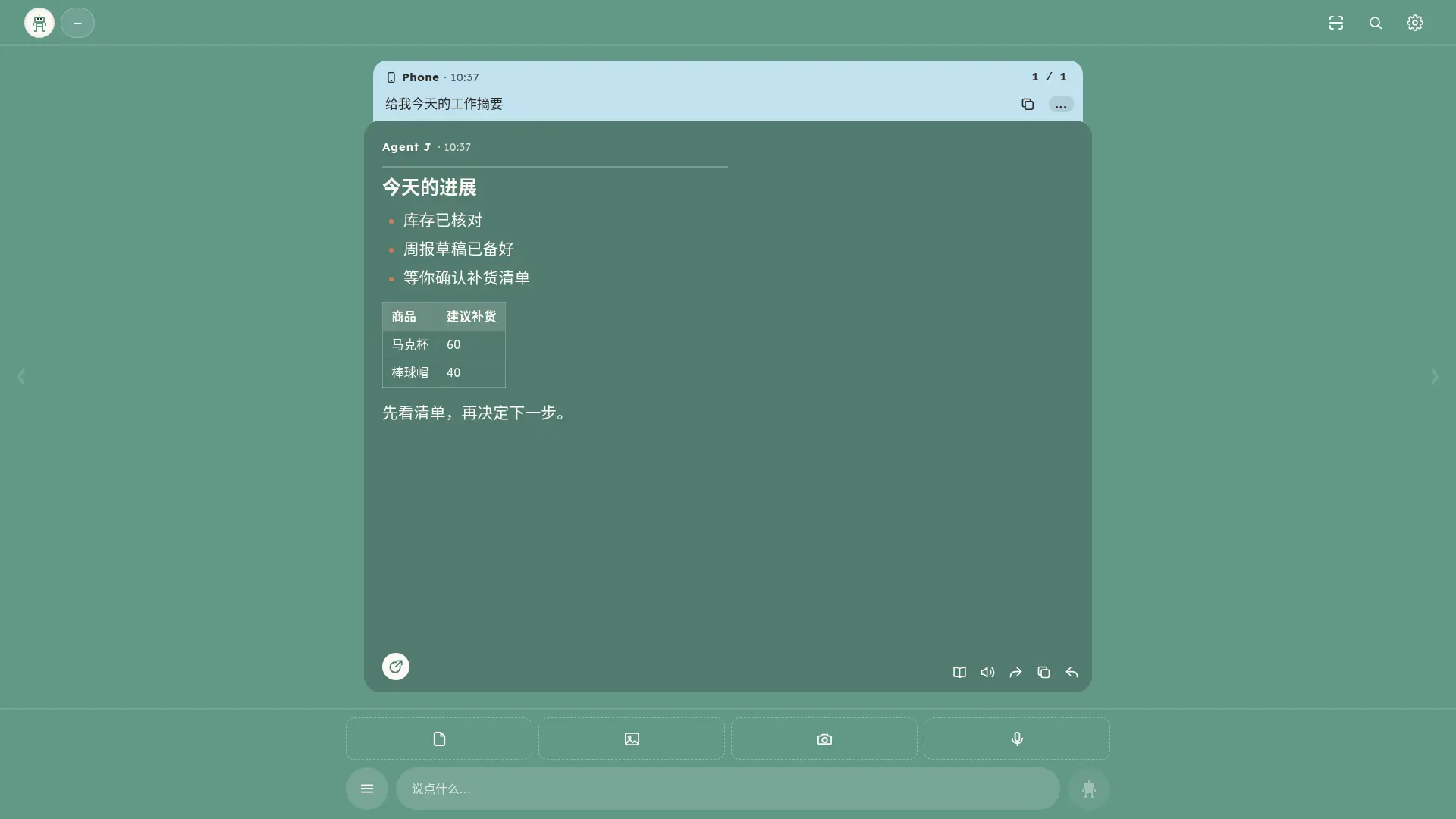
用浏览器与遥控器方向键翻卡片和消息;实际按键映射取决于电视浏览器。
智能屏布局
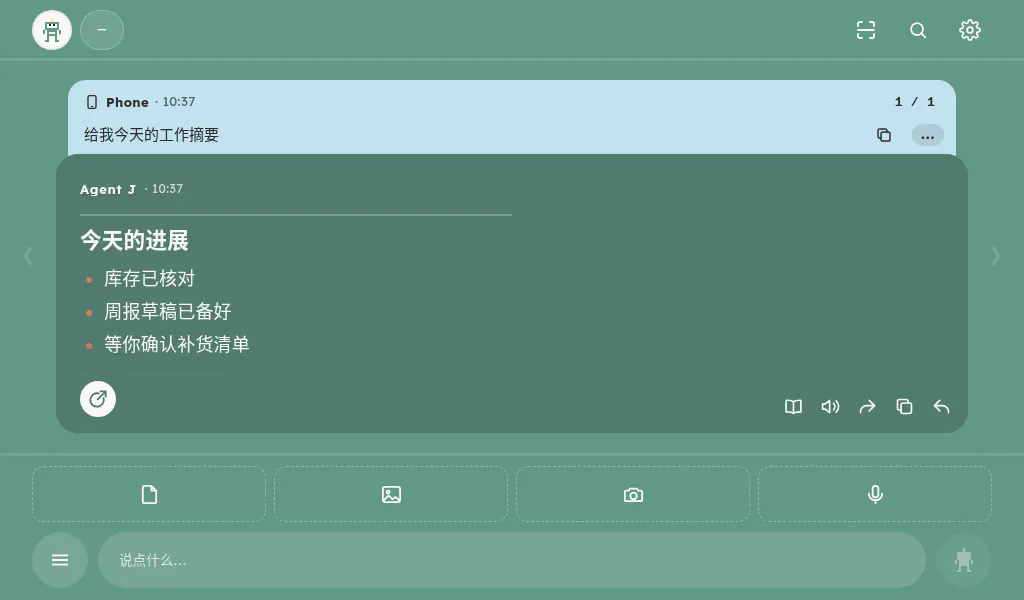
Google Home 与 Apple HomeView 仍待实机确认。先确认设备有可打开网页的浏览器,再尝试配对;不能打开网页的设备暂不支持此入口。
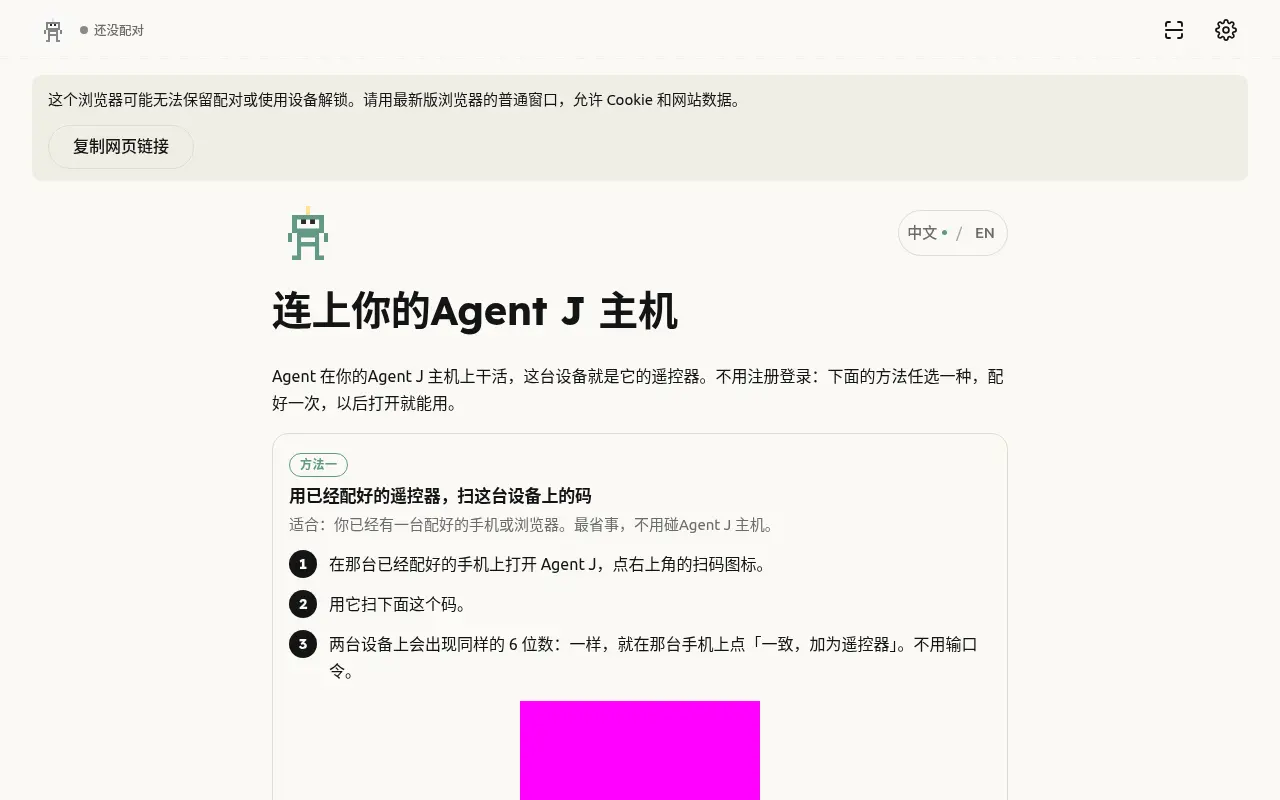
临时电脑配对
离开后移除遥控器
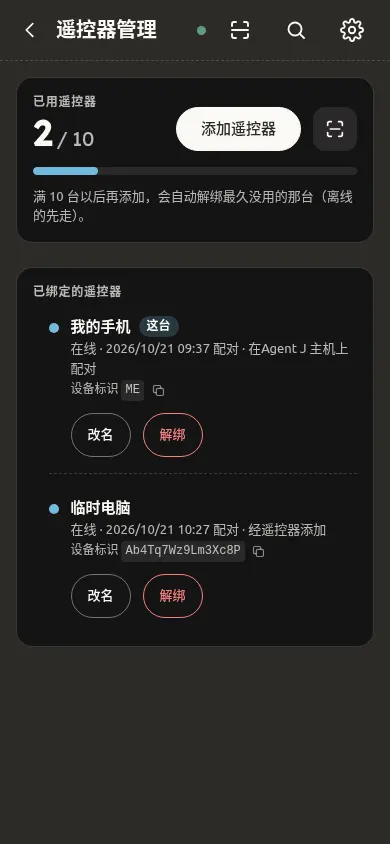
临时电脑:离开前解除配对
- 在临时电脑打开 https://m.agentj.app ,用已配对手机扫描页面二维码,核对并批准这次配对。
- 用完后,打开设置 → 遥控器管理,移除这台临时电脑。
- 如果已离开,在自己的手机打开设置 → 遥控器管理,找到这台电脑,点解除配对并确认。
隔离回归已检查:取消不会移除,确认才发送签名移除请求,成功后该设备从列表消失。真实服务的配对与撤销仍使用原有安全通道。请只在信任的电脑上输入私人内容。
One Agent, whichever screen is nearby. Open https://m.agentj.app and follow the pairing instructions.
Playwright captured the actual web client for this version with fictional orders and an isolated test host. No personal conversations or accounts are included. These are browser viewport simulations, not physical-device acceptance tests.
iPhone browser
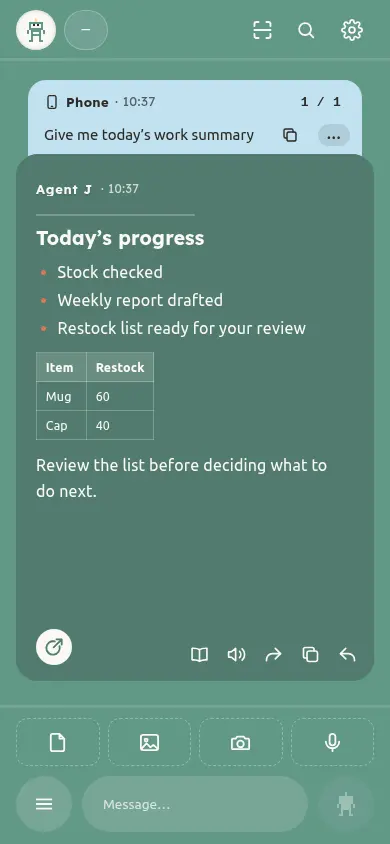
Android browser
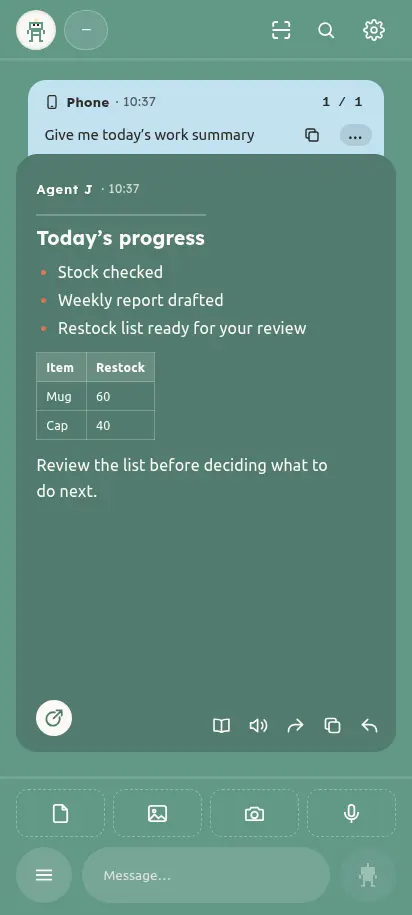
Desktop browser
TV browser layout
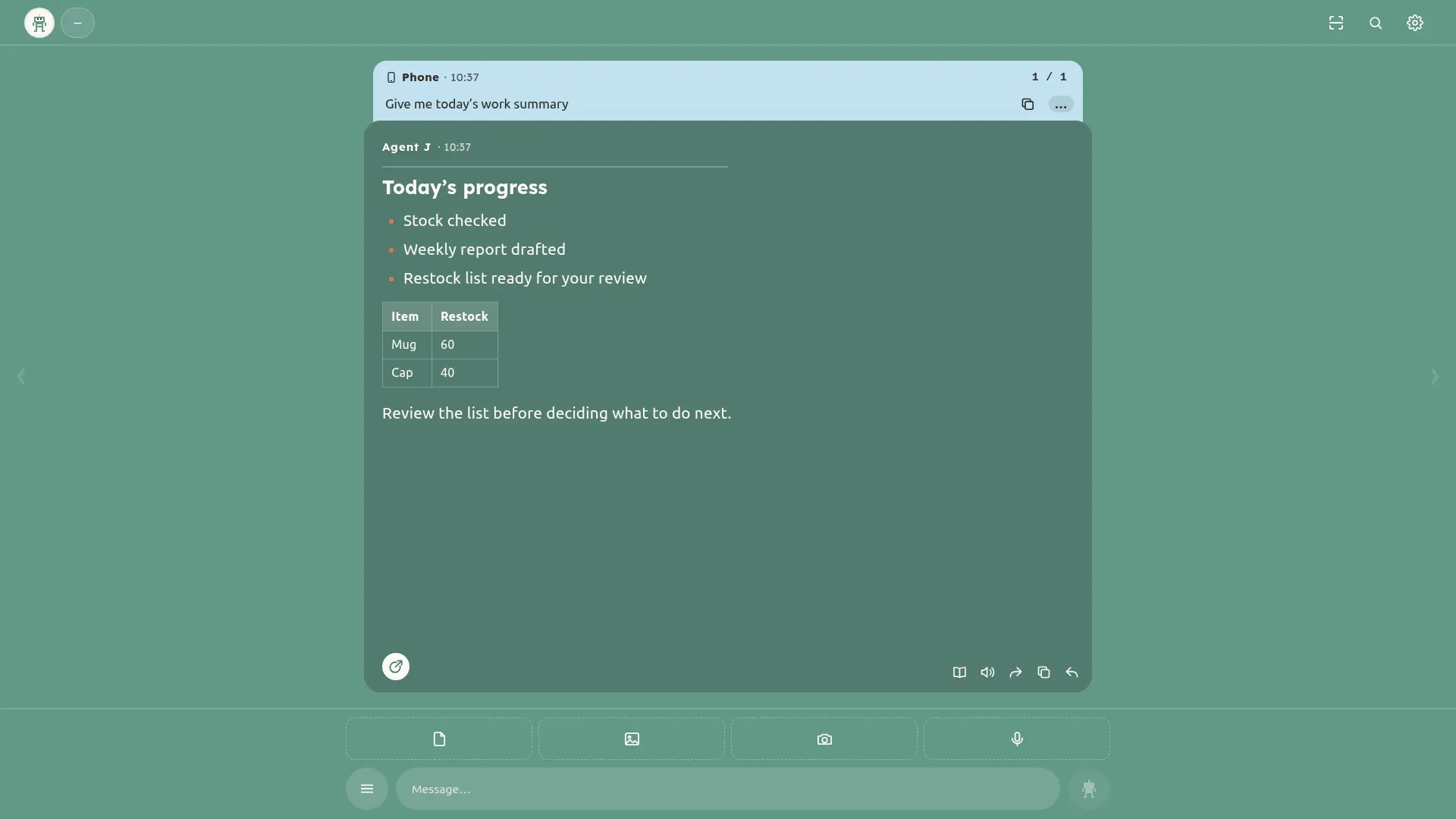
Use the browser and directional keys to move through cards and replies. Key mapping depends on the TV browser.
Smart-display layout
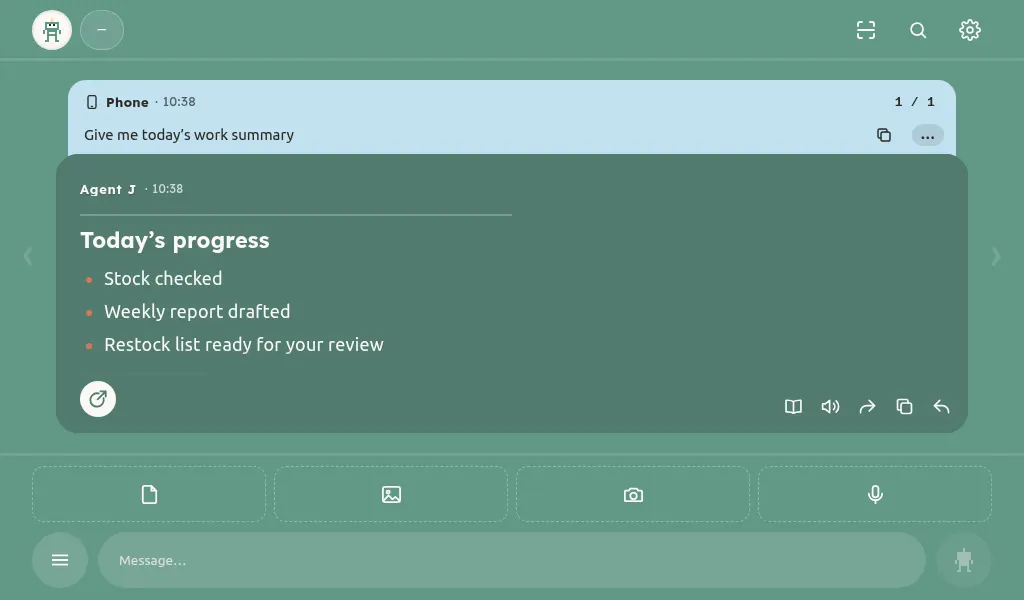
Google Home and Apple HomeView await physical-device checks. First confirm the device has a browser that can open the web app; devices without one cannot use this entry point.
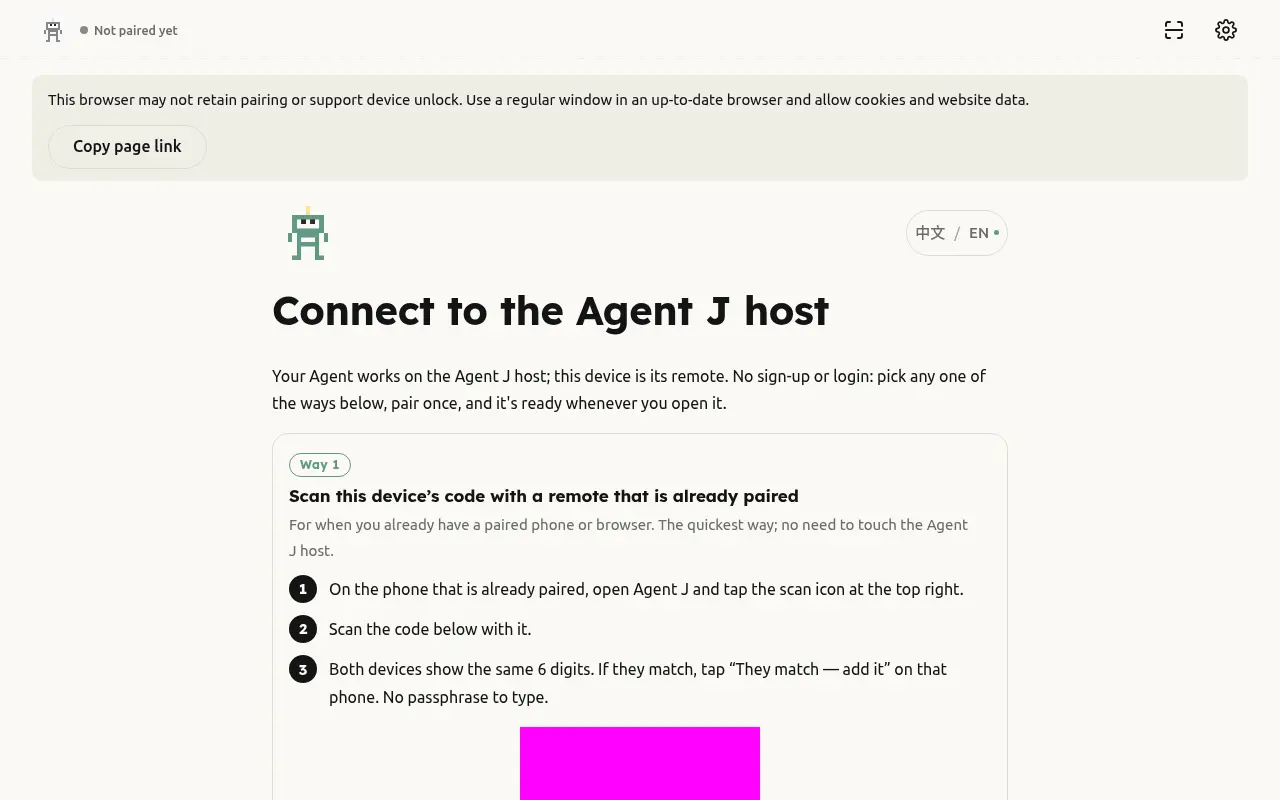
Pairing a temporary computer
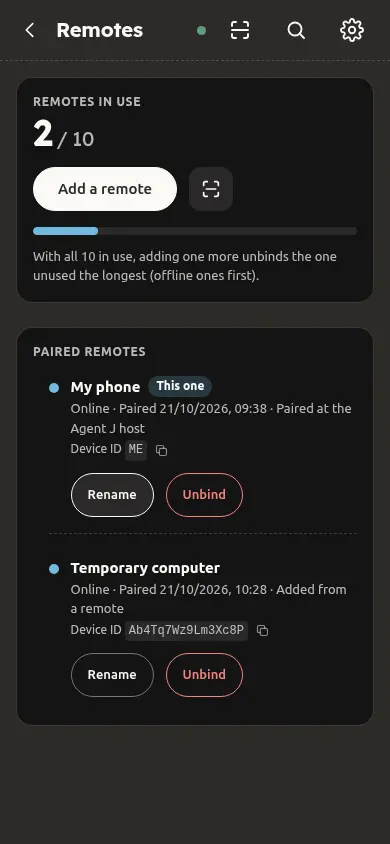
Remove a remote after leaving
Before leaving a temporary computer
- Open https://m.agentj.app on the computer. Scan its QR code with a paired phone, check the request and approve pairing.
- When finished, open Settings → Remotes and remove that computer.
- If you have already left, open Settings → Remotes on your own phone, find the computer, choose Unpair and confirm.
The isolated regression checks that cancelling leaves the remote intact, confirmation sends a signed removal request, and success removes it from the list. Production pairing and revocation continue through the existing secure channel. Enter private material only on computers you trust.