

文档Docs
Agent J:Logo 与跳舞机器人Agent J: logo and dancing robots
官方奶白面屏 Logo、五种状态色,以及 16 个跳舞机器人的图鉴与设计规格。The ivory-faced official logo, five state colours, and 16 dancing robots with their pixel-art design rules.

AGENT J · 02-IVORY
一个熟悉的身影,五种状态
官方站姿,奶白面屏。主体是 Emerald Oasis;奶黄天线与清晰的像素轮廓,让你一眼认出自己的 Agent。
16 × 16 · Lotion #faf9f5 · Banana Republic #ffe292 · Noir #2c2b26
官方 Brand Kit
主 Logo 加 16 个机器人站姿,一共 17 张透明背景 PNG。可以拿去做 Telegram、邮箱或其他 bot 的头像。
下载 Agent J Brand Kit512 × 512 · 推荐 · 11 KB其他尺寸:256 × 256 · 10 KB · 1024 × 1024 · 13 KB
请勿改变比例;放大只能整数倍(最近邻),不要平滑。包里的 README.txt 有中英文说明和 16 个机器人的名字。
五种状态色
#629887
#6a9bcc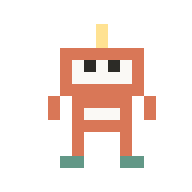
#d97757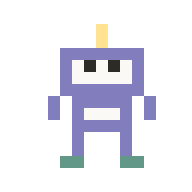
#827dbd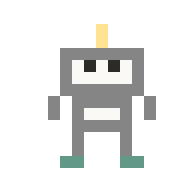
#858585圆盘与底色
同一张透明像素图,有圆盘或无圆盘,在深浅底色上都保持原样。所有颜色均来自官方 37 色调色板。


手机网页回复卡的右上角,有时会站着几个像素小机器人在跳舞。一个机器人,就是一个正在后台替你干活的 Agent:可能是一个工作流 CEO,也可能是主 Agent 临时派出去的助理。不管主 Agent 用的是 Claude Code、Codex 还是 OpenCode,它派出去的子 Agent 都会变成这样一个机器人。几个机器人在跳,就是几个 Agent 在干活。
它们只是告诉你后台有人在忙,不能用来开始或停止任何工作。
主 Agent 没在回复时,机器人照样在:它们显示的是后台的活,不是主 Agent 自己。Claude Code 用 Agent 工具派出的子 Agent、放到后台跑的命令,都会自己出现;Agent 另起的后台会话(claude -p、codex exec、opencode run 等)要用 agentj busy run 登记才会出现。后台明明在干活却看不到机器人,就是没登记——让 Agent 用 agentj busy run 包装后再跑。在 Mac 上,名字是 agentj-p<编号>… 的 launchd 后台任务也会显示,和 Linux 上同名的 systemd 单元一样。
它们怎么来、怎么走
- 来了新活:一个新机器人从下面蹦出来,加入队伍一起跳。
- 干完了:那个机器人鞠一个躬,飘走,剩下的往一起靠拢。
- 同一件活从头到尾是同一个机器人。经常出现的工作流 CEO,每次也尽量是它自己那个机器人,看颜色就能认出是谁。
- 手机打开了系统的减少动态效果时,机器人站着不动,来和走也不做动画。
- 电脑断开时,机器人连同那一行一起收起来。
最多显示几个
- 手机上最多并排显示 6 个,再多就在最后显示 +N。这样不会挡住名字和时间。
- 在电脑浏览器这种宽屏上,如果你的电脑配置高、能同时跑更多后台 Agent,最多可以并排显示 12 个。能跑多少是电脑按核数、负载和可用内存现算的(和 Agent J 决定能同时派几个后台 Agent 用的是同一个规则),不是写死的数字。
- 点一下机器人,屏幕中间弹出一个方框:有几个 Agent 在干活、谁在替你监控,下面列出全部,每一行是它的机器人、是谁、在干什么。方框底下的「换个样子」会替你给 Agent 发一条消息说想定制外观,它先问你想怎么改,校验通过才换上;按住机器人不放也一样。按 ESC 或点方框外面就关掉。
点开某一个
方框里的每一行都能点。点开就是这一个 Agent 自己的卡片:上面是它的机器人,下面是谁、完整的任务标题、它在哪里干活(Claude Code、Codex 或 OpenCode 的子 Agent,后台派单,后台命令,工作流)、已经干了多久,还有:
- 最近一步:子 Agent 刚刚做的那一步,比如运行了哪条命令、在读哪个文件。卡片开着时每隔几秒自动刷新。
- 报告:后台派单会显示它的报告文件在哪里,以及报告的第一行;还没写出来时就写「还没写出来」。
卡片只用来看,不能用来停止或修改任务。点「返回」回到列表;这件事在你看的时候做完了,卡片会写「已经做完了」。电脑上的 Agent J 版本较旧时,卡片只显示列表里已有的信息。
图鉴:16 个机器人
全部是 Agent J 自己画的原创像素画:12×12 像素,12 帧舞步再加一个鞠躬。颜色只用 Agent J 调色板里的颜色,每个机器人的配色和天线、眼睛、胸牌的组合都不一样。下面按 8 倍放大,像素保持硬边。
前 9 个机器人和以前的 9 种圆点颜色一一对应,所以一个 CEO 原来是什么颜色,现在还是那个颜色的机器人。同时干活的超过 9 个时,后 7 个机器人上场。
画你自己的机器人
机器人是外观主题的一部分,所以可以换成你自己画的。也可以直接跟你的 Agent J 说:按我们的品牌色画四个机器人``给机器人戴上帽子。它知道下面这些规则,换上之前会先检查。
一套机器人是什么: 1 到 16 个机器人,每个有一个名字(中文最多 6 个字,英文最多 12 个字母),画成两种大小的像素画,存成两张 PNG 精灵图。一个机器人占一行,从上往下排;每一行横着 13 帧:
| 帧 | 是什么 |
|---|---|
| 第 1–12 帧 | 舞步,每 0.2 秒一步(2.4 秒跳一轮) |
| 第 13 帧 | 鞠躬,活干完、飘走之前显示 |
| 图 | 一个机器人 | 显示 | 整张图的尺寸(N 个机器人) |
|---|---|---|---|
sheet_18 | 18 × 18 像素 | 回复卡里,18 像素高 | 234 × 18·N 像素 |
sheet_12 | 12 × 12 像素 | 点开后的列表里,24 像素高(放大 2 倍) | 156 × 12·N 像素 |
像素画规则(不符合的检查不会通过):
- 每个像素要么全透明、要么完全不透明:不要抗锯齿,不要柔和阴影;背景透明;
- 每个机器人最多 8 种颜色;不能有空帧;每张图最大 32 KiB;
- 每一帧大小一样,脚踩在最下面几行,这样它是原地跳。
最省事的开始: 复制一份出厂机器人来改,改颜色、天线、眼睛、胸牌:
agentj theme export robots ~/agentj-themes/my-robots这个文件夹里有两张出厂精灵图(robots-12.png、robots-18.png)和一个写好 16 个机器人名字的 theme.json。从 12 像素的机器人做 18 像素的版本,就是在每一帧里把同样的 6 列、6 行各画两遍(出厂机器人就是这么做的,眼睛能保持方正),也可以直接按 18 × 18 画。
theme.json 里机器人的那一段:
"busy": {
  "style": "robots",
  "robots": {
    "sheet_12": "my-robots-12.png",
    "sheet_18": "my-robots-18.png",
    "names": [ { "zh": "小橙", "en": "Tangerine" }, { "zh": "小灰", "en": "Pebble" } ]
  }
}
然后检查、换上(手机几秒内自己刷新):
agentj theme validate ~/agentj-themes/my-robotsagentj theme apply ~/agentj-themes/my-robots如果某一帧是空的、或者有半透明的像素,检查结果会说出是第几个机器人、第几帧。机器人比正在干活的 Agent 少时,机器人会重复出现。
更喜欢小圆点?
以前的小圆点是另一套出厂样子:一个 Agent 一个点,轻轻闪,不跳舞。
agentj theme apply dots换回机器人:agentj theme reset。主题也可以自带圆点颜色(1–9 对)。全部规则和主题的其他部分(颜色、logo、发送图标):外观主题。
想看自己的 Agent 平时怎么用:使用说明。
官方 Logo 规格
02-ivory:16 × 16 像素母版,奶白面屏 Lotion #faf9f5,奶黄天线 Banana Republic #ffe292,眼睛 Noir #2c2b26。五状态机身色:空闲 #629887、工作中 #6a9bcc、等你批准 #d97757、等你选择 #827dbd、离线 #858585。可带 Salt #f0eee6 圆盘,在 Lotion #faf9f5 浅底或 Sooty #141414 深底上展示。所有颜色取自官方 37 色调色板;透明像素只有 0/255,整数倍放大。
网页右上角的圆形图标与页脚共用外观选择:跟随系统 → 浅色 → 深色。选择会记住;选回跟随系统时会清除手动设置。
AGENT J · 02-IVORY
One familiar face. Five states.
The official standing robot with an ivory face. Emerald Oasis body, a warm yellow antenna, and a crisp pixel silhouette.
16 × 16 · Lotion #faf9f5 · Banana Republic #ffe292 · Noir #2c2b26
Official Brand Kit
The main logo plus the 16 robots standing: 17 PNGs with a transparent background. Use them as the avatar of your Telegram bot, your email or any other bot.
Download Agent J Brand Kit512 × 512 · Recommended · 11 KBOther sizes: 256 × 256 · 10 KB · 1024 × 1024 · 13 KB
Keep the proportions; enlarge only by whole numbers (nearest neighbour), never smooth. README.txt inside lists the 16 robot names, in English and Chinese.
Five state colours
#629887#6a9bcc#d97757#827dbd#858585Disc and backgrounds
The same transparent pixels, with or without a disc, on light or dark surfaces. Every colour comes from the approved 37-colour palette.
Sometimes a few little pixel robots dance at the top right of the reply card on the phone page. One robot is one Agent working for you in the background: a workflow CEO, or a helper the main Agent sent out. Whether the main Agent runs on Claude Code, Codex or OpenCode, every sub-agent it sends out becomes one of these robots. As many robots as are dancing, that many Agents are at work.
They only tell you that something is busy in the background; you cannot start or stop work with them.
The robots stay while the main Agent is not replying: they show the work in the background, not the main Agent itself. Sub-agents Claude Code sends out with its Agent tool and commands it runs in the background appear by themselves; a background session the Agent starts on its own (claude -p, codex exec, opencode run, …) appears once it is registered with agentj busy run. Work running with no robot means it was not registered — ask the Agent to wrap it in agentj busy run. On a Mac, launchd jobs named agentj-p<number>… show too, like the systemd units of that name on Linux.
How they come and go
- New work: a new robot pops up and joins the dance.
- Work done: that robot takes a bow and floats away; the others close up.
- One piece of work keeps the same robot from start to end. A workflow CEO that shows up often gets its own robot again whenever it can, so you can tell who it is by the colour.
- With reduce motion turned on in your phone's settings, the robots stand still and come and go without animation.
- When the computer is disconnected, the robots are put away with the rest of that row.
How many are shown
- On a phone, at most 6 stand side by side; beyond that the last spot shows +N, so the name and time are never covered.
- On a wide screen such as a desktop browser, a powerful computer that can run more background Agents at once can show up to 12. How many it can run is worked out live from its cores, load and free memory (the same rule Agent J uses to decide how many background Agents to start), not a fixed number.
- Tap the robots and a square opens in the middle of the screen: how many Agents are at work, who is watching them for you, and all of them listed — each row its robot, who, and what it is doing. "Change the look" at its bottom sends the Agent a message from you asking to customize the look; it asks what you want and applies the theme only after it validates. Pressing and holding the robots does the same. ESC or a tap outside closes it.
Opening one
Every row in the square can be tapped. It opens that Agent's own card: its robot on top, then who, the whole task title, where it runs (a Claude Code, Codex or OpenCode sub-agent, a background dispatch, a background command, a workflow), how long it has been working, and:
- Latest step: the step the sub-agent just took — the command it ran, the file it is reading. While the card is open it refreshes every few seconds.
- Report: a background dispatch shows where its report file is and the report's first line; before it exists the card says "Not written yet".
The card is only for looking; it cannot stop or change the work. "Back" returns to the list; if the work finishes while you look, the card says "Done". With an older Agent J on the computer the card shows only what the list already knows.
Gallery: the 16 robots
All original pixel art drawn for Agent J: 12 × 12 pixels, 12 dance steps plus a bow. Only colours from the Agent J palette; every robot has its own colours and its own mix of antenna, eyes and badge. Shown enlarged, with hard pixel edges.
The first 9 robots match the 9 dot colours used before, so a CEO keeps its colour as a robot. When more than 9 work at once, the other 7 join in.
Make your own robots
The robots are part of the theme, so you can draw your own — or simply ask your Agent J: "draw me four robots in our brand colours", "make the robots wear hats". It knows these rules and checks the result before it goes live.
What a robot set is: 1 to 16 robots, each with a name (Chinese ≤ 6 characters, English ≤ 12 letters), drawn twice as pixel art and saved as two PNG sprite sheets. One row per robot, top to bottom; 13 frames across each row:
| Frames | What |
|---|---|
| 1–12 | the dance, one step every 0.2 s (a 2.4 s loop) |
| 13 | the bow, shown when its work is done, before it floats away |
| Sheet | One robot | Shown | Size of the sheet (N robots) |
|---|---|---|---|
sheet_18 | 18 × 18 pixels | 18 px high, in the reply card | 234 × 18·N pixels |
sheet_12 | 12 × 12 pixels | 24 px high (2×), in the list you get by tapping them | 156 × 12·N pixels |
Pixel-art rules (the check refuses anything else):
- every pixel fully clear or fully opaque — no anti-aliasing, no soft shadow; the background clear;
- at most 8 colours per robot; no empty frame; each sheet at most 32 KiB;
- the same size in every frame, feet on the bottom rows, so it dances on the spot.
Easiest start: take a copy of the factory robots and change them — colours, antenna, eyes, badge:
agentj theme export robots ~/agentj-themes/my-robotsThat folder holds the two factory sheets (robots-12.png, robots-18.png) and a theme.json that names all 16 robots.
To make the 18-pixel robot from the 12-pixel one, draw the same 6 columns and 6 rows twice in every frame (that is how
the factory robots are made, and it keeps the eyes square) — or draw it at 18 × 18 directly.
The part of theme.json for the robots:
"busy": {
  "style": "robots",
  "robots": {
    "sheet_12": "my-robots-12.png",
    "sheet_18": "my-robots-18.png",
    "names": [ { "zh": "小橙", "en": "Tangerine" }, { "zh": "小灰", "en": "Pebble" } ]
  }
}
Then check and switch on (the phone repaints within seconds):
agentj theme validate ~/agentj-themes/my-robotsagentj theme apply ~/agentj-themes/my-robotsIf a frame is empty or a pixel is half transparent, the check names the robot and the frame. When there are fewer robots than Agents at work, the robots repeat.
Prefer the dots?
The round dots from before are the other factory look: one dot per Agent, softly blinking, no dancing.
agentj theme apply dotsBack to the robots: agentj theme reset. A theme can also bring its own dot colours (1–9 pairs). All rules and the
other parts of a theme (colours, logo, Send icon): your own look.
How to use the rest of the page: User guide.
Official logo specifications
02-ivory uses a 16 × 16 master: Lotion #faf9f5 face, Banana Republic #ffe292 antenna, Noir #2c2b26 eyes. State bodies: idle #629887, working #6a9bcc, approval #d97757, question #827dbd, offline #858585. The optional disc is Salt #f0eee6; demonstration surfaces are Lotion #faf9f5 and Sooty #141414. Every colour comes from the approved 37-colour palette. Pixel opacity is 0 or 255; scale by whole numbers.
The round header icon and footer share one appearance setting: Auto → Light → Dark. The site remembers your choice; Auto clears the manual override and follows the system.